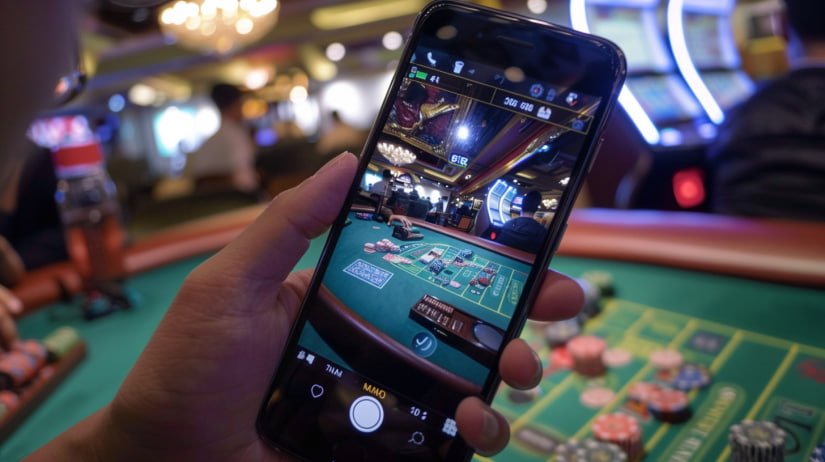
Mobile Browser Android Ready iOS Ready GCash & Maya Sports & Slots

phdreams App — Play Sports Betting and Slots on Your Phone, No Download Needed

The phdreams mobile experience runs entirely in your browser — no app store, no installation, no storage used on your phone. Filipino players on Android and iOS can access sports betting, online slots, and account management in Philippine pesos from any device, any time.


Filipino player using phdreams mobile browser app on a smartphone to bet on sports

Does phdreams Have a Mobile App to Download?

phdreams does not require a separate app download from any app store. The entire platform — sports betting, online slots, deposits, and account management — runs directly inside your mobile browser on Android or iOS. Filipino players simply open their browser, go to the phdreams site, and everything loads instantly without using any phone storage. The mobile browser version is fully optimised with responsive layouts and touch-friendly controls, so the experience is smooth whether you are on a budget Android phone or the latest iPhone. There is no waiting for app updates, no installation permissions, and no compatibility issues — just open and play.

No install needed Works on any browser Android & iOS

What You Can Do on Mobile

Every core feature of phdreams is fully accessible from your phone's browser — no app required.

Sports Betting on the Go

Basketball, football, live markets

Filipino sports fans can place bets on basketball, football, volleyball, and international leagues directly from their mobile browser without any app. Live markets update in real time so you can follow the action and adjust your bets as games unfold. The sports section on phdreams is laid out cleanly for smaller screens, with easy navigation between leagues and match listings. All odds and bet amounts are displayed in Philippine pesos so there is no confusion about what you are wagering. Whether you are watching a PBA game at home or following an international match on the go, the mobile sports section keeps you connected to the action.

Slots & Casino Games

Classic reels, video slots, jackpots

The full slot game library on phdreams loads directly in your mobile browser without any plugin or additional software. Classic three-reel titles, feature-rich video slots with free spins and multipliers, and progressive jackpot games are all available on the same mobile screen. Stake ranges are shown in Philippine pesos before you start any game, so you always know exactly what each spin costs. The touch controls are optimised for mobile play, making it easy to spin, adjust bets, and check your balance with a single tap. Visit the Slot Game section for the full library of available titles.

Deposits via GCash & Maya

PHP payments, no conversion fees

Filipino players can fund their phdreams account directly from their phone using GCash, Maya, bank transfer, or over-the-counter cash channels — all without leaving the mobile browser. Every transaction is processed in Philippine pesos with no currency conversion and no hidden fees, so the amount you send is exactly what appears in your gaming balance. Minimum deposit amounts are clearly shown before you confirm, making it easy to manage your budget on mobile. Most deposits are credited quickly so you can get straight to the games without a long wait. The Deposit page has the complete list of supported payment channels and processing times.

Account Management

Balance, history, settings

Your phdreams account dashboard is fully accessible from mobile, letting you check your balance, review bet history, and update account settings without switching to a desktop. The registration and login process is also optimised for mobile screens, so new Filipino players can sign up and start playing in under two minutes directly from their phone. All account actions — from depositing funds to checking recent game results — are handled from the same mobile browser session. There is no need to manage separate logins or switch between apps for different functions. Register now to get started or use the Login page to access your existing account.

How to Start Playing on Mobile

1
Open your mobile browser

On Android or iOS, open Chrome, Safari, or any browser you prefer. No app store visit needed — just go directly to the phdreams site and the mobile layout loads automatically.

2
Register or log in

Create your free account in under two minutes using your email address, or log in if you already have one. The forms are short and touch-friendly on any screen size.

3
Deposit in Philippine pesos

Go to the Deposit section and choose GCash, Maya, or another supported channel. Your balance is credited in PHP so you can start betting or playing slots right away.

4
Choose sports or slots

Navigate to the sports section for live and pre-match markets, or head to the slot game library for casino-style entertainment. Both are fully playable from your phone's browser with no extra steps.

Step-by-step guide showing how to access phdreams on a mobile phone browser in the Philippines
Filipino player checking phdreams sports betting odds on a mobile phone while commuting

Built for How Filipinos Actually Use Their Phones

Most Filipino players access online entertainment through their smartphones rather than a desktop computer, and phdreams is designed with exactly that in mind. The mobile browser experience is optimised for standard mobile data connections, so pages load quickly even when you are not on Wi-Fi. GCash and Maya are the primary deposit options because they are already part of everyday life for millions of Filipinos — no new payment accounts or credit cards required. The interface is in English and uses familiar navigation patterns, so finding your preferred sport, game, or account setting takes just a few taps. Whether you are on a break, commuting, or relaxing at home, phdreams gives you a full gaming and betting experience that fits naturally into your daily routine.

The platform also works well on older or mid-range Android devices that are common across the Philippines, not just on the latest flagship phones. Because there is no app to install, you never have to worry about storage space, compatibility issues, or waiting for an update before you can play. The Platform page has more details on everything phdreams covers beyond mobile access.

Slot Game Library

Browse all available slot titles on phdreams — classic reels, video slots with bonus rounds, and jackpot games — all playable in PHP from your mobile browser. See the full selection on the Slot Game page.

Philippine Payment Options

See every supported deposit channel — GCash, Maya, bank transfer, and over-the-counter options — along with minimum amounts and processing times. Everything you need is on the Deposit page.

Help & Common Questions

Have questions about mobile access, login issues, or how deposits work on your phone? The FAQ page covers the most common questions from Filipino players and points you to the right support channel.

Common Questions About the phdreams Mobile Experience

No download is required to use phdreams on your mobile phone. The entire platform runs directly in your mobile browser — just open Chrome, Safari, or any browser on your Android or iOS device and navigate to the phdreams site. There is no app store visit, no installation, and no phone storage used. The mobile browser version includes all the same features as the desktop version: sports betting, online slots, deposits, and full account management. If you want to learn more about what the platform covers, the Platform page has a full overview.

phdreams works on any modern Android or iOS smartphone using a standard mobile browser such as Chrome, Safari, Firefox, or Samsung Internet. The platform is optimised for a wide range of devices, including mid-range and older Android phones that are common across the Philippines — not just the latest flagship models. You do not need a high-end device or a fast internet connection to access the site, as pages are designed to load efficiently on standard mobile data. If you experience any issues with a specific browser or device, switching to Chrome or Safari usually resolves them. For further help, check the FAQ page.

Yes — GCash and Maya are both supported deposit methods on phdreams and can be used directly from your mobile browser. All transactions are processed in Philippine pesos with no currency conversion and no hidden fees, so the amount you send is exactly what appears in your gaming balance. The deposit process is straightforward: go to the Deposit section, choose your preferred channel, enter the amount, and confirm. Most deposits are credited quickly so you can start betting or playing slots without a long wait. Visit the Deposit page for the full list of supported channels and minimum deposit amounts.

Registering on phdreams from your phone takes less than two minutes. Open your mobile browser, go to the phdreams site, and tap the Register button at the top of the page. Fill in your email address and create a secure password — the form is short and designed to work smoothly on a touchscreen. Once your account is active, you can log in at any time using the Login page and access all platform sections immediately. Your account works across all devices, so you can switch between your phone and desktop without any additional setup. Start your registration here.

All games and betting markets available on phdreams are fully accessible from your mobile browser — there is no reduced selection on mobile compared to desktop. Sports betting markets including basketball, football, and live events are all available, along with the complete slot game library covering classic reels, video slots, and jackpot titles. Casino-style games also load directly in the browser without any plugin. The mobile layout adapts cleanly to smaller screens so you get the same content and features regardless of which device you use. Check the Slot Game page for a full overview of available titles.

Start Playing on Your Phone Today

Create your free phdreams account and access sports betting, online slots, and casino-style games from any mobile browser — funded in Philippine pesos via GCash or Maya, no app download needed.